

Walking the Walk — Accurately
/Marcie and I both wear the same fitness tracker: the Garmin Vivofit 4. We like it for its simplicity. It does what we actually care about—tells the time and counts our steps—without burying us in features we’ll never use. A big bonus is the replaceable battery, which lasts about a year, so there’s no need to charge it every few days.
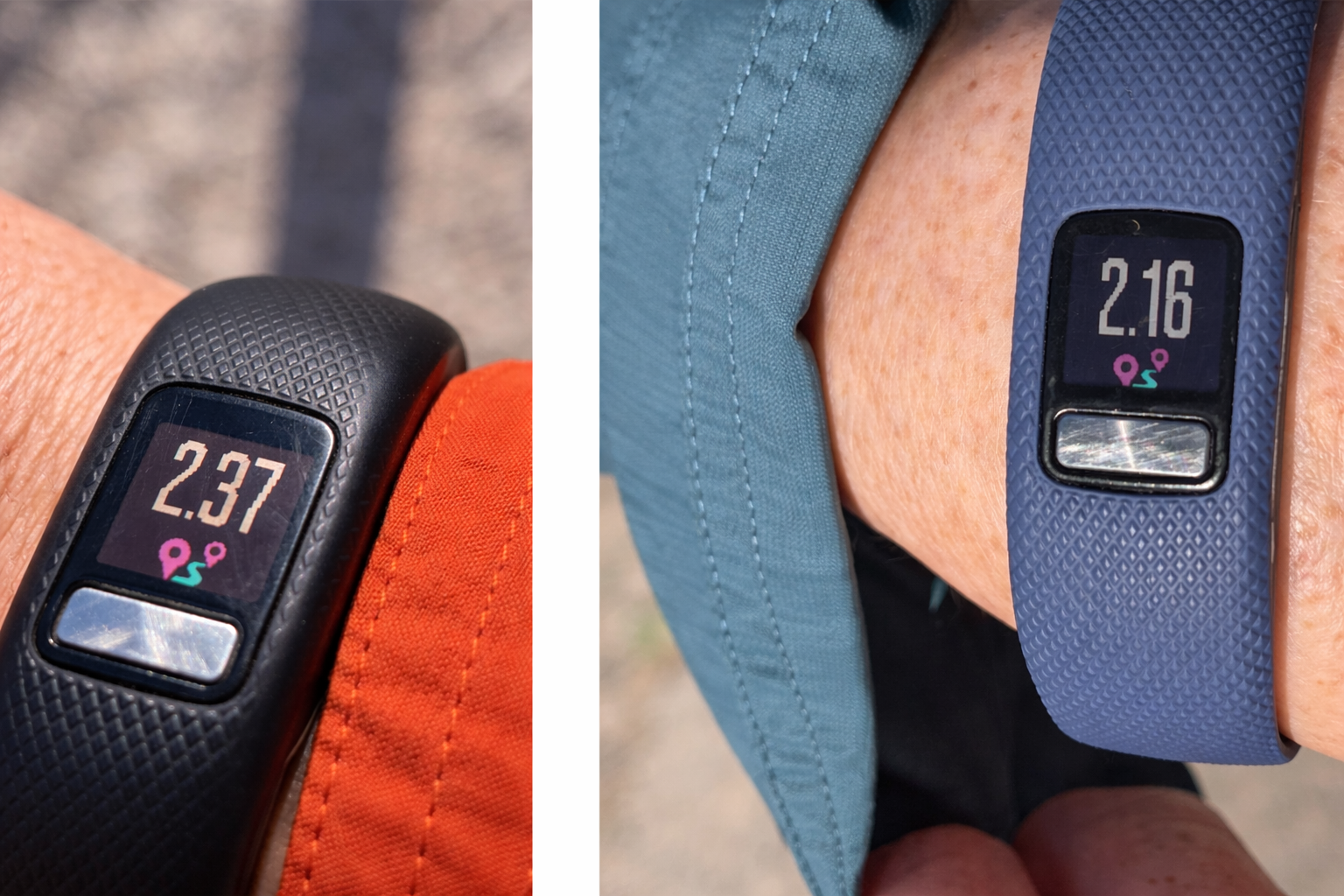
Our watches showed different mileages even though we walk the same distance
There are a few extras we genuinely enjoy, like setting a daily step goal (7,500 steps in our case), getting a little celebratory chime when we hit it, and tracking how many days in a row we’ve stayed on target.
There are also features we’ve turned off, like the sleep monitor, which claims to evaluate how well we slept but, in our experience, seems to operate on vibes, guesswork, and a touch of optimism.
The Vivofit 4 is an older model and no longer available. When ours finally give out, we’ll have to replace them with something newer—almost certainly something with more bells and whistles than we want. But that’s a problem for Future Us, and we’ll leave it to Future Us to figure out the best solution.
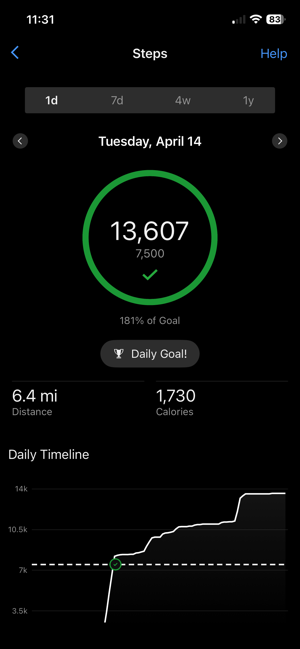
The Garmin App
The watches sync with a Garmin app, and without it they’re almost unusable. For instance, you can’t even set the time directly on the watch—it has to be done through the app. Nothing says “cutting-edge technology” like needing your phone to tell your watch what time it is.
More importantly, while the watch counts steps using an accelerometer (essentially counting how many times you swing your arm - presumably once per step, as you walk), it doesn’t inherently know how far you’ve traveled. To convert steps into distance, it relies on an estimate of your stride length.
And that’s where accuracy becomes an issue.
Why Calibration Matters
Out of the box, the watch makes a generic estimate of your stride length based on basic information like height and gender. That’s probably “good enough” for casual use, but we quickly noticed our distance readings were off—sometimes by a noticeable margin. In fact, when Marcie and I walk together, we usually end up with nearly identical step counts, yet my watch consistently reports about 10% more distance than hers.
Most of that difference is likely due to the way we naturally adjust to each other. Without really thinking about it, I tend to shorten my stride slightly to match hers, while she lengthens hers a bit to match mine. The result is that we’re taking the same number of steps, but neither of us is quite walking our “normal” stride.
Since we like to track not just steps but actual distance, it became clear that a proper calibration was worth the effort.
Our Low-Tech Calibration Method
We kept things simple: we walked a measured mile.
The Clark County Wetlands Park, one of favorite nearby places to walk, has a trail that is marked off in miles. We could also have used the standard track at our local high school (four laps is roughly a mile) or mapped out a mile using an online tool or GPS. The key is knowing the distance is as close to exactly one mile as possible.
Before starting, we wrote down the number of steps we had already walked that day. Then we walked the first mile at a normal, comfortable pace—no exaggerated strides, no trying to “game” the count—just our typical walking style.
At the end, we checked our step counts, then repeated the process for a second mile and averaged the results. Very scientific. Mildly impressive. Slightly sweaty.
Turning Steps into Stride Length
Once we knew how many steps it took to walk a mile, the math was straightforward:
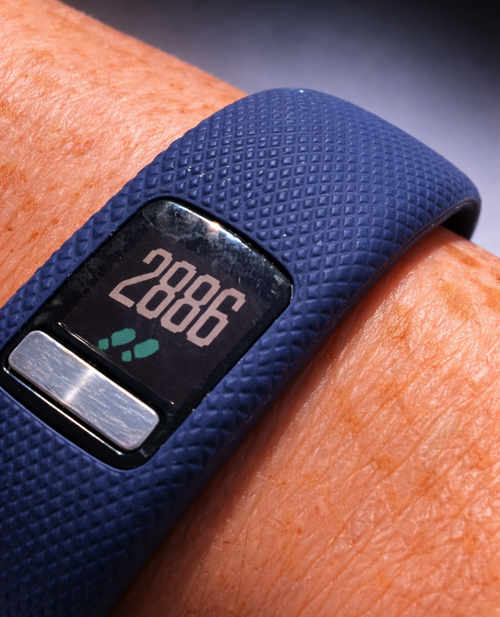
Marcie started out with 768 steps, so her measured mile was 2118 steps
One mile = 5,280 feet
Stride length = 5,280 feet ÷ number of steps
For example, Marcie took 2,118 steps to walk a mile, so her average stride length would be:
5,280 ÷ 2,118 ≈ 2.49 feet per step
We each did this calculation based on our own step counts.
Updating the Garmin App
With our stride lengths calculated, we opened the Garmin app and updated the stride length setting for each device. The app allows you to manually override the default estimate, which is exactly what we needed.
After saving the new values and syncing the watches, we were ready to test the results.
The Payoff
On subsequent walks, the distance readings were much closer to reality, and both watches showed nearly identical mileage. While no non-GPS based tracker is perfectly precise, the improvement was obvious. Distances lined up far better with known routes, and our daily totals felt far more believable—which, it turns out, is what we wanted all along.
A Few Tips
Walk naturally: Don’t try to take longer or shorter steps during calibration.
Repeat if you want extra accuracy: Walk the mile a couple of times and average your step counts.
Recalibrate occasionally: Changes in fitness, pace, or even footwear can slightly affect your stride.
Separate walking and running (if applicable): If you use your device for both, note that your running stride will likely be longer.
Final Thoughts
Calibrating our Vivofit 4s took less than an hour, required no special equipment, and made a meaningful difference in accuracy. It’s one of those small efforts that quietly pays off every day afterward.
For us, that calibration is most accurate when we’re walking together. On my own, my stride is likely a bit longer, which may slightly underreport the distance. When Marcie walks solo, the opposite is probably true—her stride shortens a bit, and her distance may read a little high. It’s not perfect, but it’s close enough to be useful—especially since we’ll be walking almost every mile of the Camino Portuguese side by side.
And really, that’s the goal. Not perfection, not precision down to the inch—just the confidence that when the watch says we walked three miles, we actually did.
Just a good walk, counted properly. And now let our time in Portugal begin. We’ve arrived!